Please follow the steps below to apply reward points to your order.
1. "Log in" to your account.
2. Select product(s) and “Add to cart”.
3. Select “Revive Rewards” green widget on the bottom right hand side of screen.
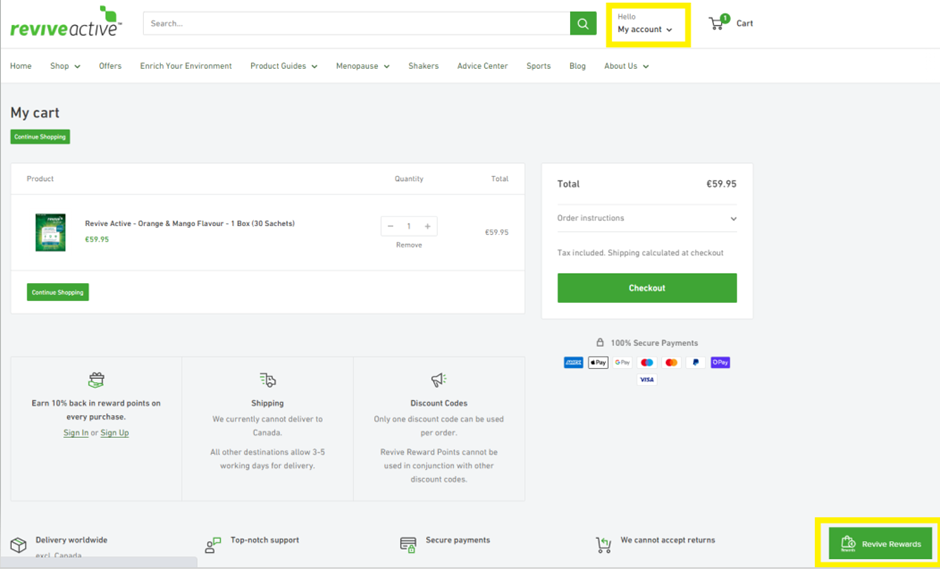
4. Your Revive Reward Points Total is now displayed.
5. Click on “ways to redeem”.

6. Click on “view”.

7. Use the “toggle” slider to control how many points you wish to use on your order.

8. Click “Redeem”.
9. It now converts the discount into a code and “click apply code”.

10. Click “Checkout” button.

11. The discount code has been applied and please proceed to process payment.

Comments
1 comment
Thank you
Please sign in to leave a comment.